Used Cars With GPS Navigation for Sale in Arlington, TX












Frequently Asked Questions about Used Cars With GPS Navigation in Arlington, TX
Are factory GPS systems better than phone-based navigation?
Factory navigation systems offer integrated reliability that works even when you lose cellular data service in remote areas. While many models at Don Davis Nissan also feature Apple CarPlay or Android Auto, having a dedicated onboard system ensures your map is always ready without needing your phone connected.
Can I find used vehicles with navigation that also support smartphone projection?
Yes, many of our pre-owned Nissan models provide both. Modern systems often allow you to toggle between the native navigation interface and the projection apps like Apple CarPlay or Android Auto, giving you the best of both worlds for your daily travels around Arlington, TX.
Which pre-owned models are most likely to include built-in navigation?
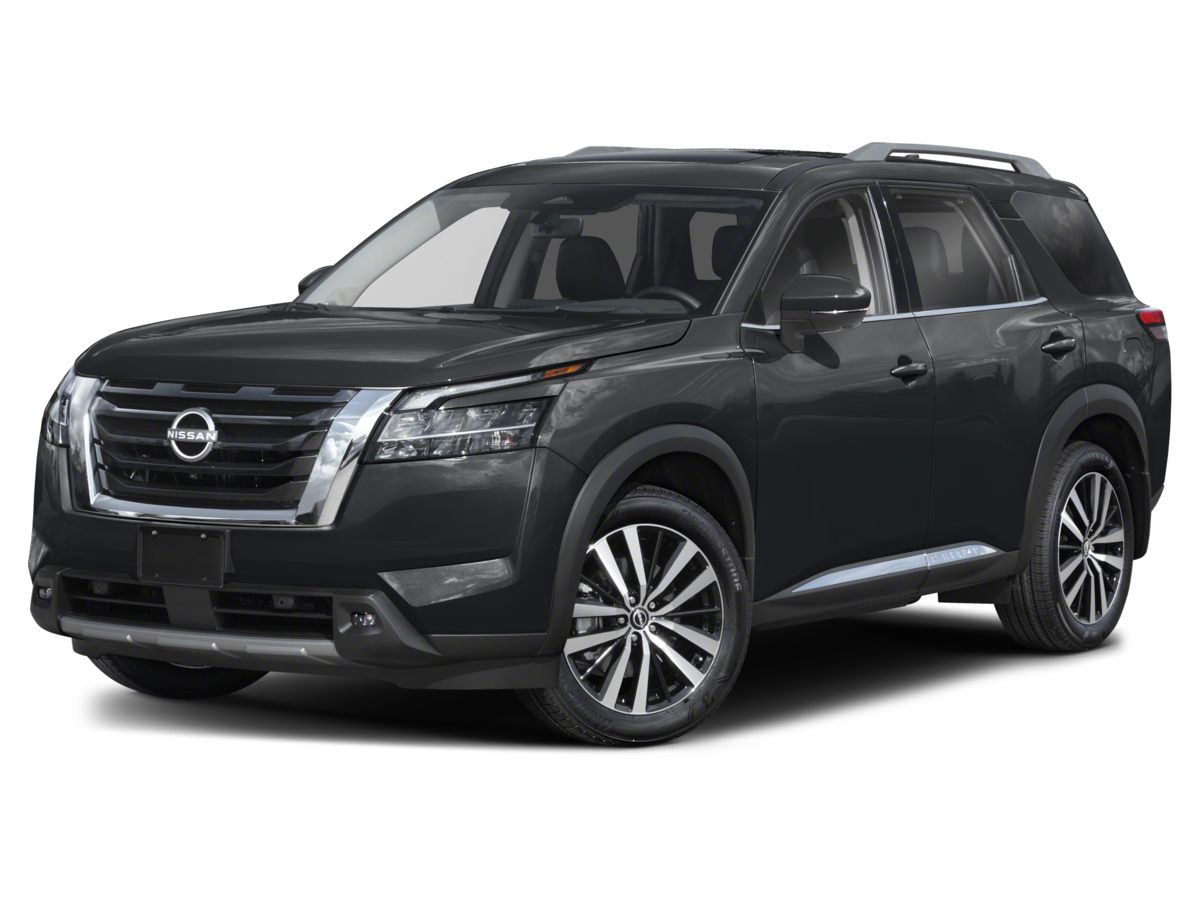
Higher trim levels of the Nissan Pathfinder, Murano, and Armada frequently include navigation as part of their premium technology packages. These three-row SUVs and crossovers are excellent choices if you prioritize advanced cabin tech alongside passenger comfort.
How do I verify if a specific used vehicle has navigation?
You can check the detailed feature list on our current inventory page for each vehicle. If you are uncertain about a specific listing, contact Don Davis Nissan and our team can confirm the exact technology suite installed in that vehicle.
Is navigation useful for local Arlington driving?
Navigation is highly beneficial when navigating busy corridors like I-30 or State Hwy 360, especially when you need real-time routing adjustments during high-traffic periods. It also helps with finding specific addresses when visiting local parks or the Arlington Tennis Center.
Have Additional Questions?
Our team is ready to provide specific details about the technology packages found in our pre-owned inventory.
We can help you compare different trim levels to ensure you get the exact navigation features you need for your daily routine.
Get in touch with Don Davis Nissan to discuss your specific vehicle requirements today.
Why Integrated Navigation Matters for Your Commute
For many drivers in Arlington, TX, having a reliable navigation system is more than just a convenience. Whether you are merging onto I-20 for a long trip or finding your way to a new destination near the Arlington Municipal Airport, having a map built into your dashboard provides a level of focus that handheld devices sometimes lack.
Integrated systems are designed to work seamlessly with your vehicle's audio and driver-assist functions. When you choose a used Nissan equipped with factory navigation, you are gaining a tool that offers consistent, high-contrast visibility and audio guidance that does not get interrupted by incoming phone calls or notifications.
- Eliminate the need to mount and charge a secondary device during your daily errands.
- Experience clearer audio guidance that utilizes your vehicle's sound system for better clarity on noisy highways.
- Enjoy a clutter-free dashboard without cables running to your phone or windshield-mounted suction cups.
If you are ready to upgrade your daily driver, you can view our current inventory to see which models currently feature these advanced cabin technologies.
Think about how often you rely on your phone for directions during your morning school drop-off or your weekend trips to Cedar Hill State Park. A built-in system is always there, ready to guide you without extra setup steps.
Choosing the Right Vehicle for Your Needs
Not every vehicle requires the same level of technology, but choosing the right one depends on your specific lifestyle. For those who prioritize fuel efficiency for a daily commute, a sedan like the Nissan Altima or Sentra often provides intuitive interfaces that are easy to master. These models are great for navigating dense city streets while keeping you connected.
If your routine involves family travel or heavy weekend gear, larger crossovers like the Nissan Rogue or Pathfinder are frequently equipped with advanced navigation suites. These vehicles offer the screen size and processing power needed to display complex routes clearly, which is especially helpful when you are navigating unfamiliar areas.
- Select a sedan like the Sentra for a compact footprint that is easy to park in crowded shopping centers.
- Choose a midsize crossover like the Murano if you need a balance of passenger comfort and advanced tech features.
- Consider a full-size SUV like the Armada for maximum screen real estate and premium audio integration with your navigation.
Understanding which body style fits your routine is the first step. Think about where you park most often and whether you need the extra cargo space of an SUV for your weekend hobbies.
Once you have a better idea of your preferred model, you can begin to narrow your search by focusing on the technology features that matter most to you, ensuring your next vehicle is perfectly suited for your life in the Central region.
Comparing Technology Suites in Pre-Owned Models
When comparing used vehicles, it is important to realize that navigation systems have evolved significantly over time. Some models may feature high-definition touchscreens with real-time traffic updates, while others may offer a more straightforward, reliable interface. It is essential to look at the specific trim level to understand what is included.
Many shoppers today look for the ability to use their own phone apps alongside the car's native software. This hybrid approach is common in many newer pre-owned Nissan vehicles, allowing you to use the car's screen for your phone's navigation while still having the factory system as a backup.
- Check for wireless smartphone connectivity, which simplifies your routine by removing the need for a USB cable.
- Look for steering wheel-mounted controls that allow you to adjust navigation and volume without taking your hands off the wheel.
- Verify if the system includes voice recognition, which is a major safety benefit when you need to change your destination while driving.
When you visit Don Davis Nissan, ask to see how the system responds to voice commands and how quickly the screen updates your position. These small details can make a big difference in your overall satisfaction with the technology.
Take the time to compare a few different models side-by-side. You might find that the interface in a Pathfinder feels different from that in a Kicks, and your preference will depend on your personal comfort with the UI layout.
Practical Steps Before Your Test Drive
Before you commit to a test drive, it is helpful to have a plan. Knowing which models are on your list allows you to focus on the things that matter, such as how the navigation screen looks in direct sunlight or how easy it is to enter a destination. These are things you cannot judge from a website.
Consider bringing your own phone and charging cable to the dealership. This allows you to test how the vehicle handles your specific device and how quickly the system recognizes your phone for projection features. It is a simple step that provides immediate peace of mind.
- Test the visibility of the navigation display during the day to ensure you can read it clearly in typical Texas brightness.
- Check the responsiveness of the touchscreen interface while the vehicle is parked to see if the menus feel intuitive to you.
- Confirm if the vehicle's audio system integrates well with the navigation voice prompts so you can hear directions clearly over your music.
Your test drive is the best time to check the comfort of the seats and the ergonomics of the cabin. If you are planning on long highway drives, ensure the ride quality meets your expectations while you are testing the navigation features.
If you have any specific requirements, such as a need for a certain number of USB ports or specific safety features to pair with your tech, let our team know. We are here to help you find the right match.
Finalizing Your Decision
Making a confident choice comes down to balancing your must-have features with your budget. While navigation is a great tool, remember to consider other factors like the vehicle's overall condition, mileage, and how well it fits your daily parking or garage situation. Use your visit to compare Nissan options by seating position, cargo access, visibility, and the way each option fits your normal driving in Arlington, TX.
Before you finalize your purchase, you may want to look into financing options to understand your budget better. Having a clear idea of your financial path allows you to focus on finding a vehicle that checks all the boxes for your commute and lifestyle.
- Evaluate the vehicle's history and maintenance records to ensure you are getting a reliable, well-cared-for model.
- Think about your long-term needs, such as whether you will need more space for family or gear in the coming years.
- Review the vehicle's safety features, as many models with navigation also include advanced driver-assist systems that enhance your confidence on the road.
You can also use our online tools to value your trade if you have a current vehicle to part with. This can simplify your visit and help you move forward with your next purchase more efficiently.
When you are ready, schedule a visit to Don Davis Nissan to see our selection in person. Before choosing a trim, check the driver-assist features, screen layout, rear-seat space, and cargo opening against the errands or commutes you handle most often in Arlington, TX.
Your next step is to explore our inventory, compare the models that fit your criteria, and reach out to us with any questions about specific features. We are here to ensure you have all the information you need to make an informed decision.